Imagine your dog slips out of an open gate, gets spooked by a sudden noise, or wanders off during a weekend walk. A stranger finds them ten minutes later, standing by the side of a busy road.
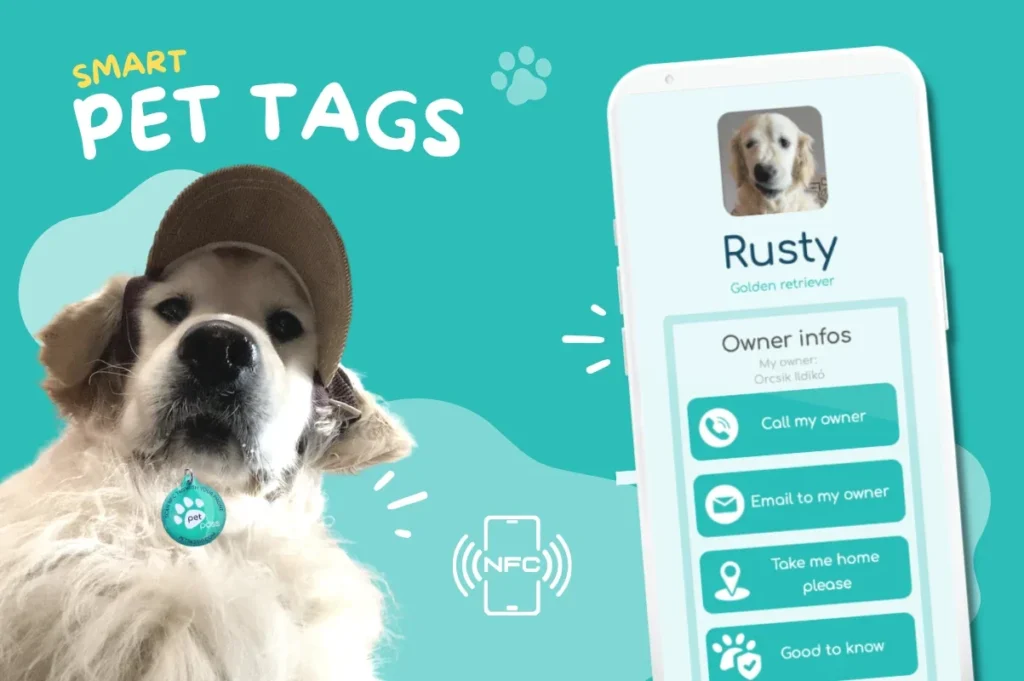
If that person taps your dog's tag or scans their QR code, opening a digital profile on their smartphone, what do they see?
Traditional metal dog tags force you to compromise. Between physical surface area and custom engraving limits, you are lucky if you can squeeze in a pet name and two phone numbers. Smart pet tags, QR code collars, and NFC devices completely eliminate that space barrier. Suddenly, you have a digital canvas where you can upload emergency contacts, veterinary records, medication schedules, behavioral triggers, microchip numbers, home addresses, and even social media links.
However, more information is not automatically better.
When a stranger holds your lost pet on a sidewalk, an endless, unstructured wall of text creates friction. Worse, sharing too much unvetted data can compromise your family's personal privacy or safety. The goal of a digital pet profile is not to create an exhaustive cloud archive of everything you know about your dog; it is to build an instant, actionable emergency response page for the person holding the leash.
What information should you publish on your dog’s digital profile, what should you relegate to secondary sections, and what should you leave off entirely?
Executive Summary:What information should be in a dog's digital pet profile?
In Short: A good digital pet profile should help a stranger answer three questions immediately: Whose pet is this? Who should I contact? Is there anything important I need to know right now?
Start with a clear, recent photo of your pet, their name, and a primary phone number. Add a backup contact in case you cannot be reached. Then include only the medical or behavioural information that could change how a finder handles or cares for your pet — such as urgent medication, severe allergies, epilepsy, or a warning like “Nervous — do not chase.”
Information such as veterinary details, microchip status, return instructions and social media profiles can sit lower down in the profile. Avoid publishing sensitive personal documents, security information or unnecessary private data.
The rule is simple: put the information a finder needs to act at the top, and everything else below it.
Article Navigation
- Build the Profile for the Person Who Finds Your Dog — Not for Yourself
- Identification: Make It Obvious This Pet Belongs to Someone
- Contact Information: Give the Finder More Than One Way to Reach You
- What Should the Finder Know About Your Dog’s Health?
- Why Behaviour Can Be as Important as Medical Information
- Food and Daily Care: What Does a Finder Really Need to Know?
- Microchip and Veterinarian Information
- Home Address or Safe Return Point?
- Should You Include Your Pet’s Social Media Profiles?
- What Information Should NOT Be Public?
- The Ideal Digital Pet Profile: What Information Goes Where?
- Physical Tag vs. Digital Profile: What Belongs Where?
- Build Your Dog’s Profile in 5 Minutes: Complete Checklist
- Frequently Asked Questions

Build the Profile for the Person Who Finds Your Dog — Not for Yourself
When pet owners set up a smart ID tag, they often fall into a common trap: treating the profile like a personal digital scrapbook. They upload full vaccination passports, medical histories, pedigrees, home addresses, and long essays about their pet's favorite squeaky toys.
To understand why this is problematic, put yourself in the shoes of a finder.
A stranger who catches your loose dog is often dealing with an unpredictable, stressful situation. They may be standing on a windy corner, holding a frightened dog by its collar, using one hand to operate their phone in bright sunlight or heavy rain. They do not want to scroll through five pages of text to find out if the dog bites or who to call. They need instant clarity.
Community feedback from online pet forums highlights a clear divide among good Samaritans:
- Finders value instant access to multiple phone numbers, clear medical warnings (like severe allergies or seizures), and specific instructions on how to calm a panic-prone dog.
- Finders dislike convoluted layouts where they have to hunt past irrelevant details just to find a working phone number.
| THE FIRST SCREEN (What a finder MUST see) |
| [ CLEAR PET PHOTO ] |
| MILO "I'M LOST! PLEASE HELP ME GET HOME" |
| 📞 CALL PRIMARY OWNER |
| 📞 CALL BACKUP CONTACT |
| ⚠️ URGENT: NEEDS DAILY EPILEPSY MEDS - DO NOT CHASE |
The best pet profile isn't the one with the most information—it's the one that puts the right information first.
1. Identification: Make It Obvious That This Pet Belongs to Someone
The first job of any ID tag or profile is establishing identity instantly.
Pet's Name
On a traditional tag, some owners omit the pet's name out of fear that a thief might use it to entice the animal. In a digital pet profile, always include your dog's call name. Knowing a dog's name allows a finder to speak softly, use familiar commands, reduce the animal's stress levels, and verify that the dog matches the profile they are reading.
A Recent, Recognizable Photo
Do not rely solely on a artistic, low-light photo or a picture of your dog as a puppy. Your primary profile picture should be a clear, high-resolution shot taken in daylight.
Include a photo that shows:
- Distinct facial features.
- Overall body size and coat color.
- Unique physical characteristics (e.g., a cropped ear, a spotted tongue, a distinctive chest patch, or a missing tail).
If your dog wears specific gear—such as a bright red harness—including a photo of them wearing that gear helps a finder confirm they have the correct dog.
Breed, Sex, Color, and Distinguishing Features
While a photo does heavy lifting, text descriptions matter when a dog is dirty, wet, or wearing a coat. List the primary breed (or mix), biological sex (and whether they are spayed/neutered), primary coat colors, and distinguishing physical features.
Examples:
- "Spayed female German Shepherd mix, black and tan."
- "Distinguishing feature: Right eye is half blue, half brown; small scar on left hind leg."
-
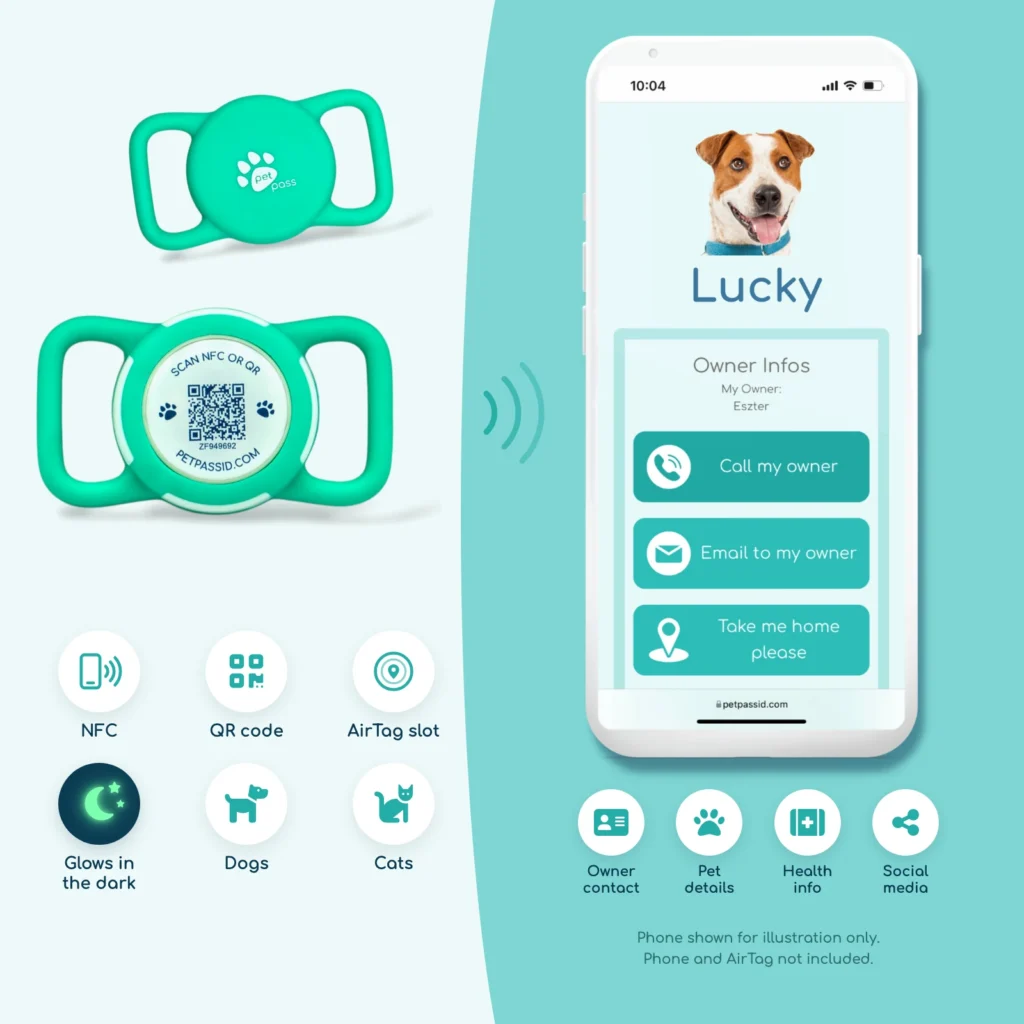
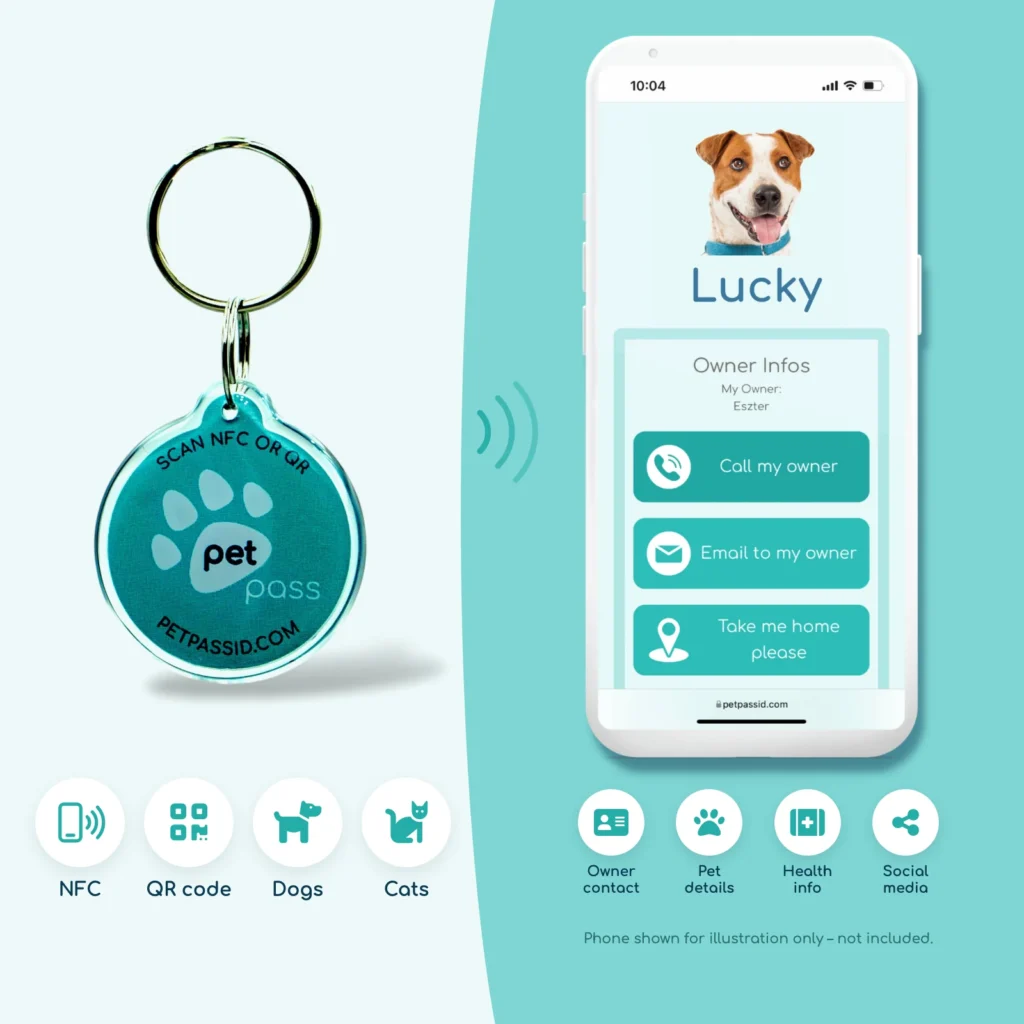
Pet Pass ID - Smart Tag with AirTag Slot
Original price was: 12,000 Ft.6,990 FtCurrent price is: 6,990 Ft. -
Pet Pass ID - Smart Tag with NFC
Original price was: 8,000 Ft.4,990 FtCurrent price is: 4,990 Ft.
2. Contact Information: Give the Finder More Than One Way to Reach You
If a finder can only perform one action after scanning your pet's tag, it must be contacting you.
| Contact Type | Strategic Usage in Digital Profile |
| Primary Phone | Direct line to primary handler. Must have cellular voice and SMS active 24/7. |
| Secondary/Backup Phone | Partner, family member, neighbor, or trusted sitter. Essential if primary contact is unreachable. |
| Email Address | Secondary backup. Useful if finder cannot place calls or if owner is traveling internationally. |
Primary Contact
Your primary contact should be a phone number attached to a device you carry constantly. In a digital pet profile, configure this as a click-to-call button so the finder can dial you with a single tap.
Do not list a landline if you are out searching the neighborhood for your missing pet. Always use a mobile number capable of receiving both voice calls and SMS text messages.
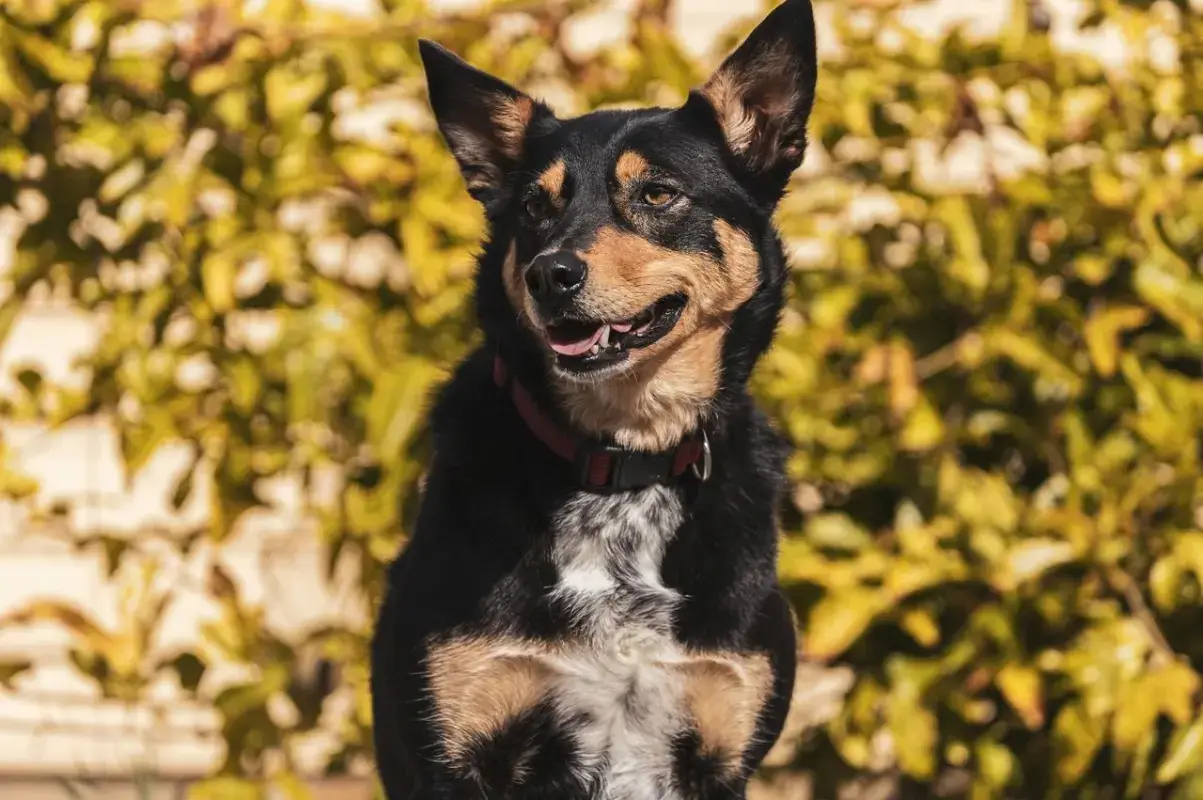
Backup Emergency Contact
One of the key advantages of a digital pet profile over an engraved tag is the ability to list secondary emergency contacts.
If your dog escapes while you are:
- On a flight or traveling abroad,
- Stuck in an underground meeting without cellular reception,
- Asleep or away from your phone,
...a single phone number creates a dead end.
By adding a backup contact—a partner, trusted neighbor, local family member, or professional pet sitter—you ensure that someone who knows the dog can respond immediately.
Pro-Tip for Travelers: Pet owners who use smart tags frequently point out how helpful it is to update their profile's backup contact to their local dog sitter or boarding facility while they are away on vacation. When you return home, you simply switch the primary contact back to yourself in seconds without replacing physical hardware.
Should You Include an Email Address?
Yes, but keep it secondary. Email is valuable if a finder is using a tablet without cellular capabilities, if you are traveling abroad with limited voice service, or if phone calls fail to connect. However, direct phone calls and text messaging remain the primary response channels during a lost pet emergency.

Would a stranger know what they need to know about your pet?
Free 60-second safety check.
Pet Safety Check
✓ Takes about 60 seconds
✓ Personalized to your pet
✓ Get your Pet Safety Score
Free. No purchase required.
3. What Should the Finder Know About Your Dog's Health?
Digital profiles eliminate the need to choose between listing a phone number or a medical warning. You have space for both, but you must curate the data to focus on critical care.
MEDICAL & HEALTH DATA TRIAGE
| INCLUDE PROMINENTLY | OMIT OR HIDE LOWER |
| • Chronic life-threatening items (Epilepsy, Diabetes, Addison's) • Severe food or drug allergies • Time-sensitive daily meds • Primary vet name & clinic phone | • Complete past surgery history • Minor historic injuries • Routine vaccination serial numbers • Non-urgent dietary preferences • Detailed insurance policy details |
Medical Conditions
List health issues that directly affect how a finder handles your dog over a 24- to 48-hour period.
- Epilepsy or Seizure Disorders:"Milo has epilepsy. Stress can trigger seizures. If he collapses, keep him calm, protect his head, and call emergency contact immediately."
- Diabetes:"Diabetic—requires insulin injections twice daily."
- Heart Conditions or Blindness/Deafness:"Fully deaf in both ears. Will not respond to voice commands; use visual hand gestures."
Medication
Distinguish clearly between urgent daily medications and general medical history. If missing a single dose of medication poses an immediate health risk, state that clearly at the top of the profile.
Allergies
When well-meaning finders secure a lost dog, their first instinct is often to offer water and treats. If your dog suffers from severe food allergies (e.g., severe anaphylactic response to chicken, beef, or grain), display a clear warning: "DO NOT FEED CHICKEN - SEVERE ALLERGY."
Veterinary Contact
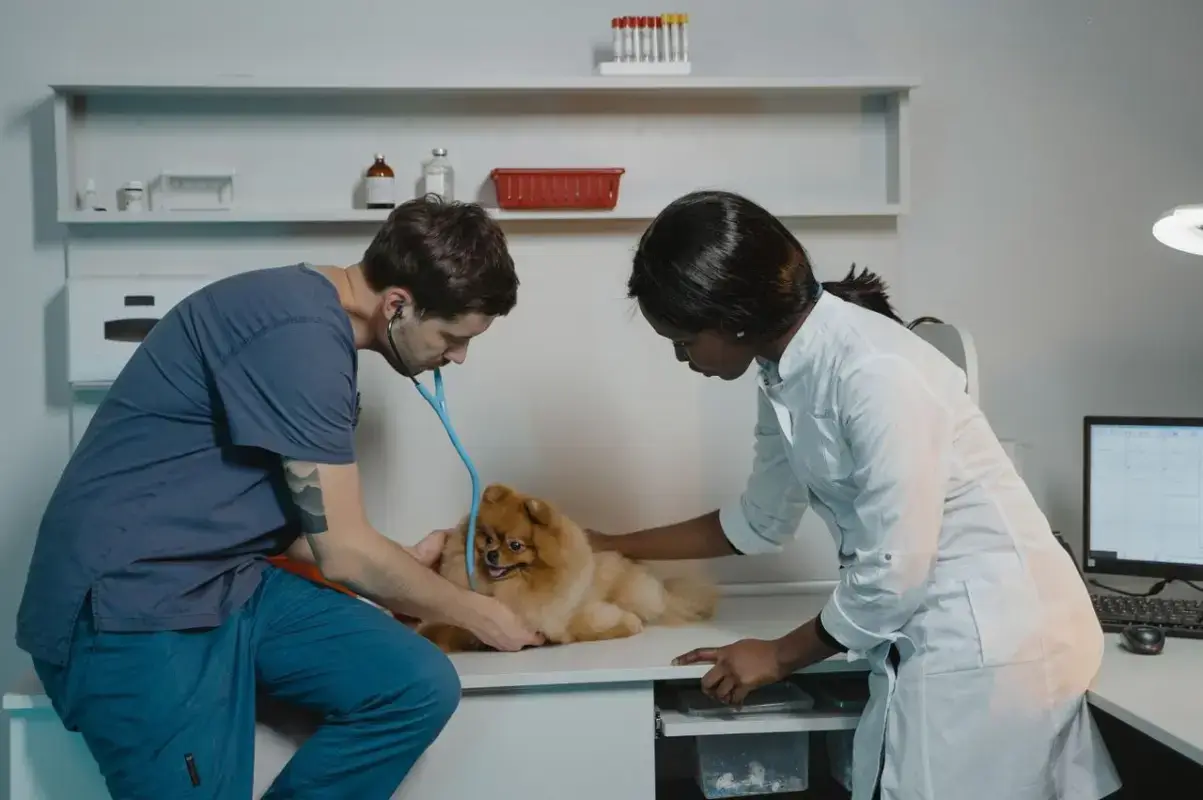
Including your primary veterinary clinic's name, address, and phone number provides an immediate safety net. If your dog is found injured or sick, a finder can take them directly to your trusted clinic or allow an emergency vet to call your primary doctor to review medical records.
4. Behavior Can Be as Important as Medical Information
How a dog acts when stressed or approached by a stranger dictates whether a finder can successfully secure them. Behavioral notes protect both your pet and the person trying to help them.
Fear of Strangers and Chase Triggers
- Nervous or Fearful:"VERY NERVOUS. Please do not corner or rush him. Move slowly and speak softly."
- Flight Risk:"FLIGHT RISK—DO NOT CHASE. If chased, he will run into traffic. Sit down, avoid eye contact, and offer treats."
Reactivity
If a finder secures your dog and walks them back to their house, they need to know if your dog can safely interact with their own pets or family members.
- Dog Reactive:"Dog reactive. Please keep away from other dogs."
- Child Reactive:"Uncomfortable around young children. Please keep in a quiet room away from kids."
De-escalation and Calming Cues
Specific behavioral notes can transform a stressful rescue into a smooth recovery. Share the specific words, postures, or treats that build immediate trust.
- "Say 'Walkies?' in a high voice and crouch down—Milo will usually approach with a wagging tail."
- "He is fearful around tall men wearing hats, but will readily approach women or anyone holding a tennis ball."

5. What Should You Tell Someone About Food and Daily Care?
If your pet wanders off in the evening, they may spend the night hosted in a finder's home or at a local emergency shelter before you can pick them up. Brief care instructions ensure your pet remains comfortable during an unexpected sleepover.
| Category | Practical Profile Guidance |
| Special Dietary Needs | Highlight strict restrictions (e.g., "Raw diet only" or "Sensitive stomach - plain water only"). |
| Mobility / Handling | Note physical limitations (e.g., "Severe hip dysplasia — do not lift under front legs"). |
| Temporary Housing | Note comfort preferences (e.g., "Crate trained," "Sleeps indoors only"). |
Always run care details through a simple filter: Would knowing this change how a finder cares for my pet during their first 12 hours together? If the answer is no, leave it off the emergency dashboard.
6. Microchip and Veterinarian Information
Smart tags and digital profiles work alongside traditional pet identification methods like microchips, rather than replacing them entirely.
SMART TAG vs. MICROCHIP
| SMART TAG (Collar-Mounted) | MICROCHIP (Subdermal Implant) |
| • Instant street-level readout • Readable by anyone with a phone • Modifiable, dynamic profile data • Can be lost if collar breaks | • Permanent, tamper-proof ID • Requires specialized universal scanner • Static registry database ID number • Cannot be lost or removed easily |
Microchip Status
State clearly on the digital profile whether your dog is microchipped (e.g., "MICROCHIPPED"). If a collar falls off or is removed, knowing the dog has a chip prompts a rescue organization or vet clinic to scan them immediately.
Should You Display the Full Microchip ID Number?
You do not necessarily need to list the full 15-digit microchip number on a public-facing digital profile. In many jurisdictions, a microchip number combined with personal details can be exploited in false ownership claims or registry fraud.
Instead, state that the dog is microchipped and specify the registry company (e.g., "Microchipped via HomeAgain"). This lets veterinary staff or animal control officers know where to direct inquiries without exposing raw tracking numbers to the general public.
7. Home Address or Safe Return Point?
Deciding whether to publish your exact home address on a digital pet profile requires balancing convenience against privacy.
| Strategy | Advantages | Privacy / Security Trade-offs |
| Exact Home Address | Finder can walk dog directly home without calling first. | Exposes home location, indicating owner may currently be away. |
| Safe Meeting Point (Vet clinic, park) | Protects precise residence while providing a clear target area. | Requires secondary coordination step with the finder. |
| Contact-First Policy (No address shown) | Maximum privacy control; location shared only during phone call. | Depends entirely on owner answering the phone promptly. |
If your dog wanders within your immediate neighborhood, a listed address allows a neighbor to walk them straight to your front door. However, publishing a full home address publicly on the internet carries risks:
- It tells strangers where an empty home might be if you are out searching for your dog.
- It exposes your exact living location to anyone who scans the tag in a public park.
The Compromise: Safe Meeting Points or Contact-First Protocols
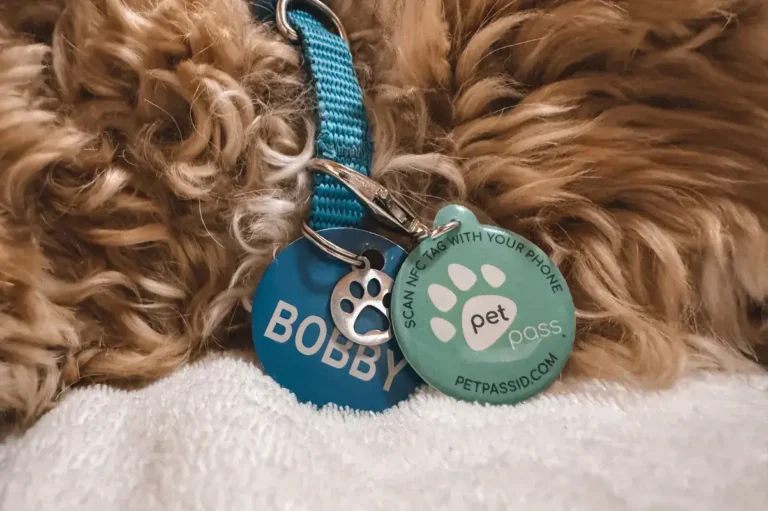
Modern digital pet platforms—such as Pet Pass ID—allow you to configure custom return instructions. Instead of broadcasting your exact residence, you can set a nearby landmark or public space (e.g., "Safe Return Point: Central Vet Clinic lobby" or "Please call primary number to coordinate pickup").
Decide how you want a stranger to return your pet without sharing more location data than you feel comfortable making public.
8. Should Your Pet's Social Media Profile Be Included?
Unlike traditional metal tags, smart pet profiles allow you to link external social accounts like Instagram, TikTok, or YouTube.
BALANCING SOCIAL LINKS
- TOP OF PROFILE
- Emergency Call Buttons
- Medical Alerts & Warnings
- Primary Contact Info
- BOTTOM OF PROFILE
- Social Links (Instagram / TikTok)
- ENRICHS: Provides secondary photos & community verification.
- DOES NOT COMPETE: Kept below emergency action elements.
- Social Links (Instagram / TikTok)
Why Social Media Links Can Help
- Secondary Visual Verification: An Instagram account provides dozens of recent photos and videos, helping a finder verify your dog's identity and behavior across different settings.
- Community Sourcing: If you cannot be reached immediately, a finder can send a Direct Message (DM) to your pet’s account, which may be monitored by co-owners or social media managers.
- Identity Verification: A active social account shows that the pet is well-cared-for and deeply connected to a public owner profile.
UX Rule: Enrich, Don't Distract
Social media links should enrich your pet's profile, not compete with emergency contact options. Place social media links at the bottom of the page so they do not distract a finder from tapping the primary "Call Owner" button.
9. What Information Should NOT Be Public?
A digital pet profile is an emergency interface, not an unrestricted cloud folder. Protect your privacy by keeping sensitive personal documents off public-facing tags.
| PUBLIC DATA (Finder Needs This) | PRIVATE DATA (Keep Off Public Tag) |
| • Pet Name & Photo • Primary & Backup Phone Numbers • Urgent Medical Warnings & Allergies • Behavioral & Safe Handling Instructions • Primary Veterinary Clinic Name | • Owner's full government ID or driver's license • Unredacted purchase receipts or adoption papers • Home security passwords or entry gate codes • Full financial or insurance policy numbers • Complete 15-digit microchip registration keys |
What to Omit From Public Views
- Government Identification: Never upload images of your driver's license, passport, or national ID cards.
- Financial and Insurance Documents: Keep pet insurance policy documents, billing receipts, and bank details in a secure private vault, not on a publicly scanable web profile.
- Home Security Access Codes: Do not include gate codes or home entry instructions on a lost pet tag.
- Detailed Family Schedules: Avoid listing specific routines that reveal when your home is unoccupied (e.g., "We are at work every weekday from 8 AM to 5 PM").
Keep public profiles strictly focused on the information necessary to return your pet safely.
The Ideal Digital Pet Profile Has an Information Hierarchy
To build a truly functional lost-pet profile, organize your data using a clear four-tier hierarchy. This ensures critical emergency actions are visible first on mobile devices while keeping secondary details accessible lower down.
- LEVEL 1: IDENTIFY & CONTACT (Immediate First-Screen Mobile View)
- Clear Profile Photo
- Pet Call Name (e.g., MILO)
- Status Banner: "I'M LOST - PLEASE CALL MY FAMILY"
- Primary & Backup "CALL NOW" Buttons
- LEVEL 2: KEEP ME SAFE (Crucial Safety Instructions)
- Urgent Medical Alerts (e.g., Epilepsy, Diabetes)
- Severe Food Allergies (e.g., NO CHICKEN)
- Critical Behavioral Guidance (e.g., "Nervous - Do Not Chase")
- LEVEL 3: HELP ME GET HOME (Return & Support Details)
- Safe Return Address or Designated Meeting Point
- Primary Veterinary Clinic Name & Phone
- Microchip Status & Registry Name
- LEVEL 4: GET TO KNOW ME (Background & Personality)
- Breed, Age, & Distinctive Markings
- General Personality Quirks & Daily Habits
- Optional Social Media Links (@milo_explores)
Physical Tag + Digital Profile: What Belongs Where?
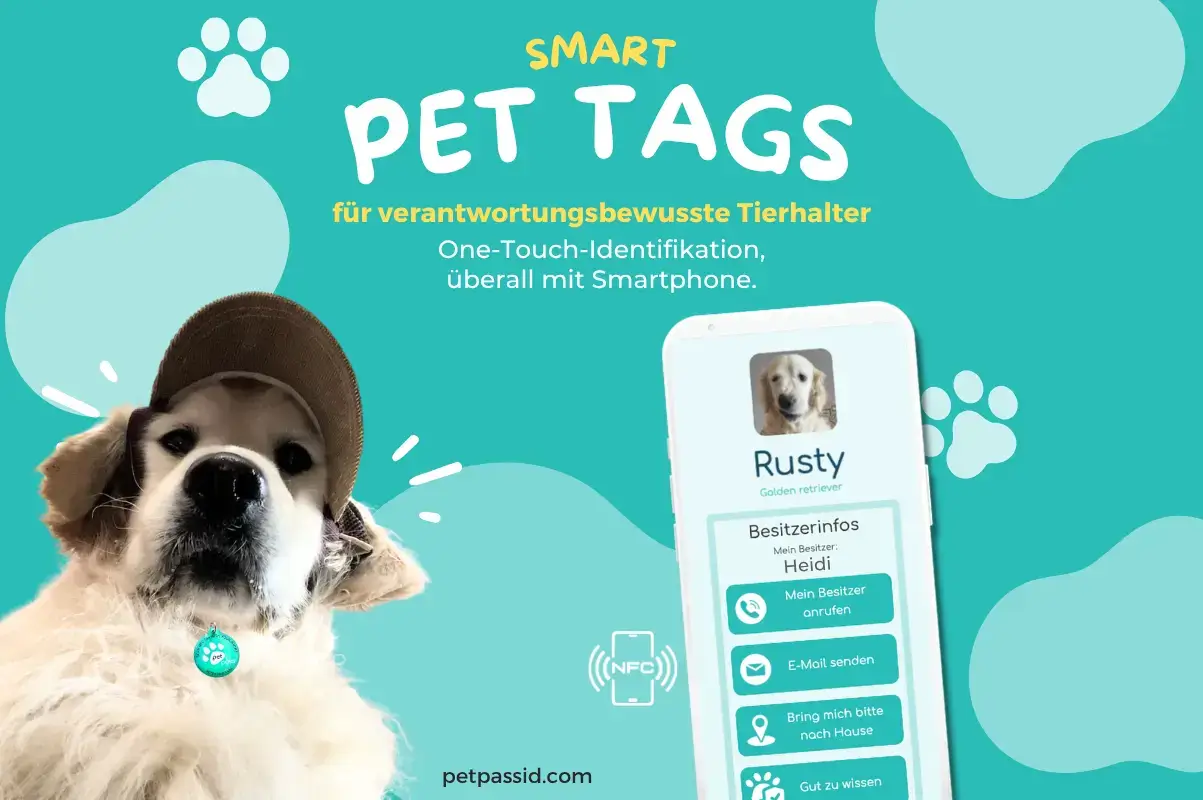
Smart pet identification relies on two complementary components working together: the physical tag attached to the collar and the underlying digital profile.
| PHYSICAL TAG (On the Collar) | DIGITAL PROFILE (Scanned via Phone) |
| • Tells the finder WHAT TO DO • High-visibility QR Code & NFC • Simple call-to-action text • Optional engraved phone number for offline fallback | • Tells the finder WHAT THEY NEED TO KNOW • Dynamic, editable contact list • Detailed medical & care notes • Behavioral guide & vet contacts |
The Role of the Physical Tag
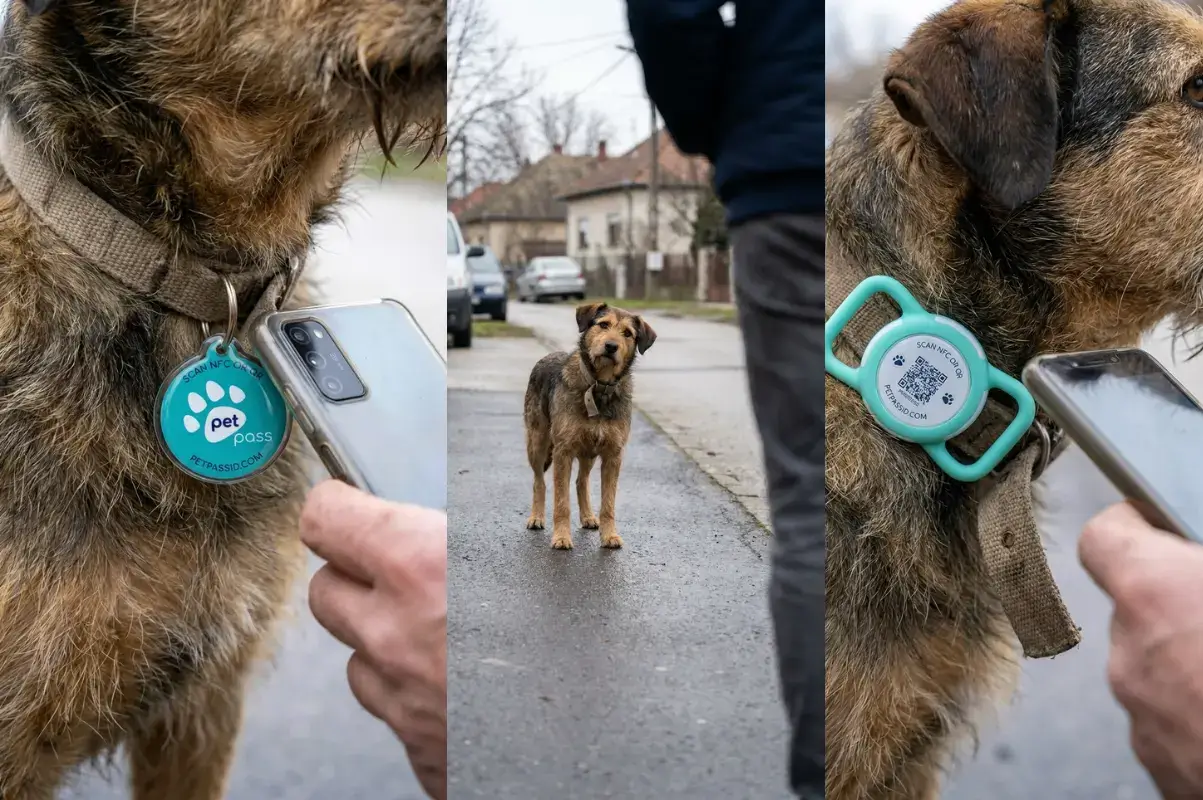
The physical tag serves as the primary visual call to action. If a finder does not realize the tag can be scanned or tapped, the digital profile remains unread.
A well-designed physical tag should feature:
- Clear instruction text: "SCAN OR TAP PHONE TO RETURN ME."
- High-contrast QR code and embedded NFC chip.
- An engraved backup phone number (where space permits) for situations where a finder's phone battery is dead or cellular coverage is unavailable.
The Role of the Digital Profile
The digital profile acts as an instantly updateable emergency dashboard. While the physical tag remains fixed on your dog's collar, you can update phone numbers, add travel notes, change emergency contacts, or update medical instructions anytime from your smartphone.
Key Takeaway: The physical tag tells the finder what to do. The digital profile tells them everything they need to know.
Build Your Dog's Profile in 5 Minutes: The Complete Checklist
Use this checklist to build and review your dog's digital profile.
[ ] STEP 1: IDENTITY
[ ] Call name clearly listed
[ ] High-contrast, daylight photo uploaded
[ ] Breed, sex, and coat color noted
[ ] Distinguishing physical features highlighted[ ] STEP 2: CONTACTS
[ ] Primary phone number set with direct click-to-call button
[ ] Active backup emergency contact added
[ ] Email address included as secondary channel[ ] STEP 3: SAFETY & MEDICAL
[ ] Life-threatening medical conditions listed prominently
[ ] Time-sensitive daily medications noted
[ ] Severe food allergies clearly flagged
[ ] Crucial behavioral warnings included ("Do not chase", "Fearful of men")
[ ] De-escalation tips added ("Crouch down and say 'Walkies'")[ ] STEP 4: RETURN DETAILS
[ ] Primary vet clinic name and phone number attached
[ ] Microchip status listed
[ ] Safe return point or address preference configured[ ] STEP 5: PERSONALITY & LINKS
[ ] Daily quirks or care preferences added
[ ] Social media links attached at the bottom of the profile
The 5-Second Field Test
Once you complete your pet’s profile, perform this quick test:
- Open the profile on your mobile phone.
- Step back and pretend you are a stranger who just found a stray dog on the street.
- Ask yourself:
- Can I find a working phone number within 3 seconds?
- Are urgent medical or behavioral warnings immediately obvious without scrolling through long paragraphs?
- Is any sensitive personal data exposed that shouldn't be public?
If your profile passes all three questions, your dog has a reliable digital safety net wherever they wander.
Frequently Asked Questions
What is the most important information on a smart dog tag profile?
The most important information is an immediate way to contact the owner (a click-to-call primary phone number), followed by critical safety warnings such as life-threatening medical conditions, severe allergies, or flight-risk behavioral traits.
Should I include my dog's name on their ID profile?
Yes. Including your dog's name allows a finder to talk to them calmly, reduce stress levels, and confirm their identity. On a digital profile, you have ample space for the dog's name without compromising space for contact numbers.
Why should I add a second emergency contact to my pet's profile?
If your dog gets lost while you are asleep, flying, in a meeting, or out of cell service range, a single phone number creates a dead end. A secondary backup contact (a family member, neighbor, or pet sitter) ensures someone can respond immediately.
Should I put my dog's complete medical history in their profile?
No. Limit public medical information to conditions that directly affect immediate emergency care—such as epilepsy, diabetes, severe food allergies, or daily medications. Keep long medical records and vaccination archives private.
Should I publish my exact home address on my pet's public tag?
Not necessarily. While an address allows local neighbors to walk your dog home directly, it also exposes your residence location publicly. You can instead list a safe meeting point (like a nearby vet clinic) or ask the finder to call you first to coordinate pickup.
Can I link my dog's Instagram account to their digital tag?
Yes. Social media accounts provide additional verification photos and help prove ownership. Place social media links near the bottom of the profile page so they do not distract from emergency contact buttons.
Does a smart pet tag replace a microchip?
No. A smart tag and an implanted microchip serve complementary roles. A collar-mounted smart tag provides instant identification for anyone with a smartphone. A microchip provides permanent, unalterable identification if the collar falls off. For maximum protection, use both together.
Keep your contact details close.
Discover smart NFC and QR pet tags that connect a finder to your pet’s digital profile.
Explore Pet Pass ID tags



 English
  German
  Hungarian
  Spanish
  Italian
  French
  Polish
  Romanian